Search Tips
Subjobs
IPM Jobs have 4 levels of breakdown, Job, Subjob, Job Task and Cost Type. The Subjob level is inferred in the structure in so far as it doesn't form a separate field in the total cost definition string. The examples below seek to explain this.
Cost String without a Subjob
Job 03-001 (NW Warehouse) - Job Task 01-010 (Site Setup) - Cost Type S (Subcontract) so the actual code will be 03-001|01-010|S where the '|' character represents a field separator.
Cost String with a Subjob
Job 03-001 (NW Warehouse) - SubJob 01 (Main Building) - Job Task 01-010 (Site Setup) - Cost Type S (Subcontract) so the actual code will be 03-001|01-01-010|S where the '|' character represents a field separator.
Notice that the code for the Job Task has been amended to include the Subjob as a prefix.
Subjobs are then used as a filtering tool on data entry screens and can also form part of the numeration for any of the documents.
When to Use Subjobs
Subjobs are used to break down large jobs into smaller pieces. They may be used to manage large Change Orders/Variations and provide the benefit of providing a separate costing structure for those Change Orders/Variations. The design of the Subjob structure is such that it allows subjobs to work with back end accounting/costing systems that do not support subjobs.
Most organisations will not require subjobs for all jobs however from a sorting perspective, given that way the Job Task codes are prefixed with the Subjob codes the recommended approach is for any job that will have subjobs, a primary subjob should be created. So for example if your subjobs are to be numbered 01, 02 etc, the a primary subjob should be added at the time of initialization as Subjob 00. This can be added after the job has commenced and the existing Job Tasks can be added to the primary subjob.
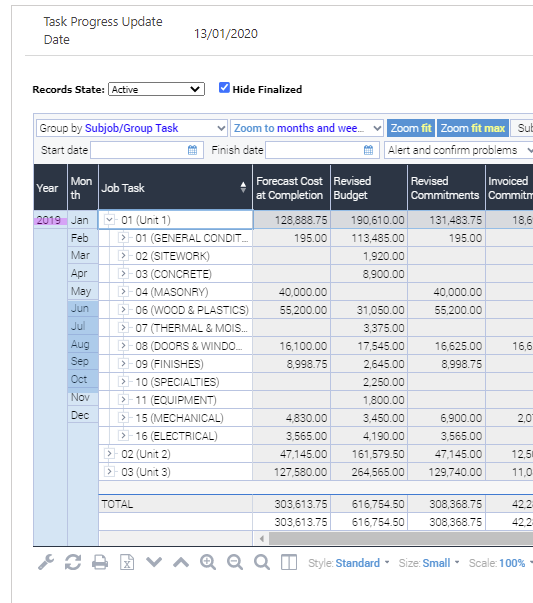
If this approach is taken then the Task structure will look like the image below. If a primary Subjob is not added for a job which is using subjobs then any task list will show a mix of job tasks and subjob tasks sorted purely on an alphanumeric sort sequence and not ordered by job and subjob.
Numeration Usage
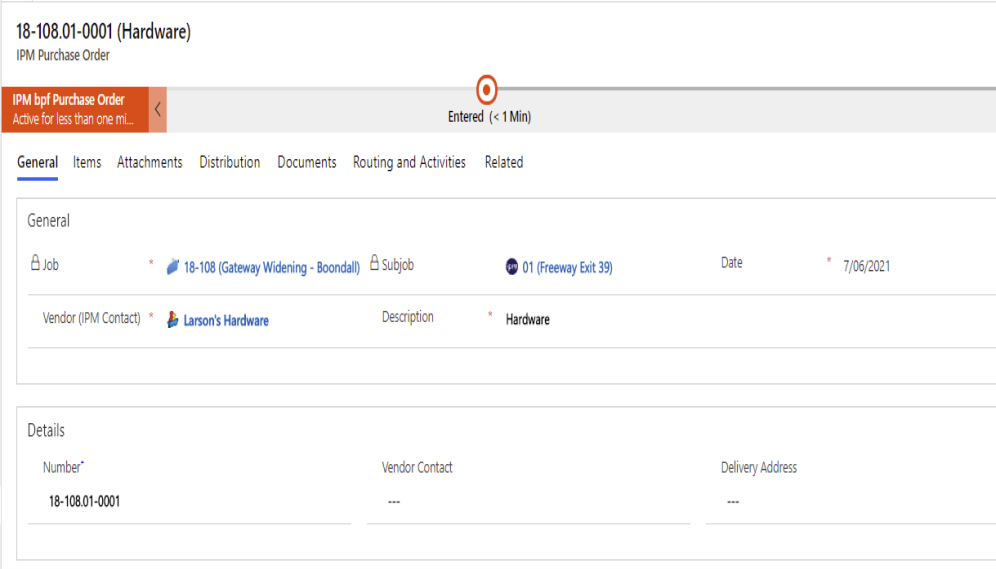
The numeration for documents can be configured to include the subjob. For example if a Purchase Order is created and the Subjob is specified on the Purchase Order Header then the document number can include the subjob number. So for example a purchase order for the Job alone may be numbered as "03-001-001" but if the subjob is specified then the number could read "03-001-01-001".
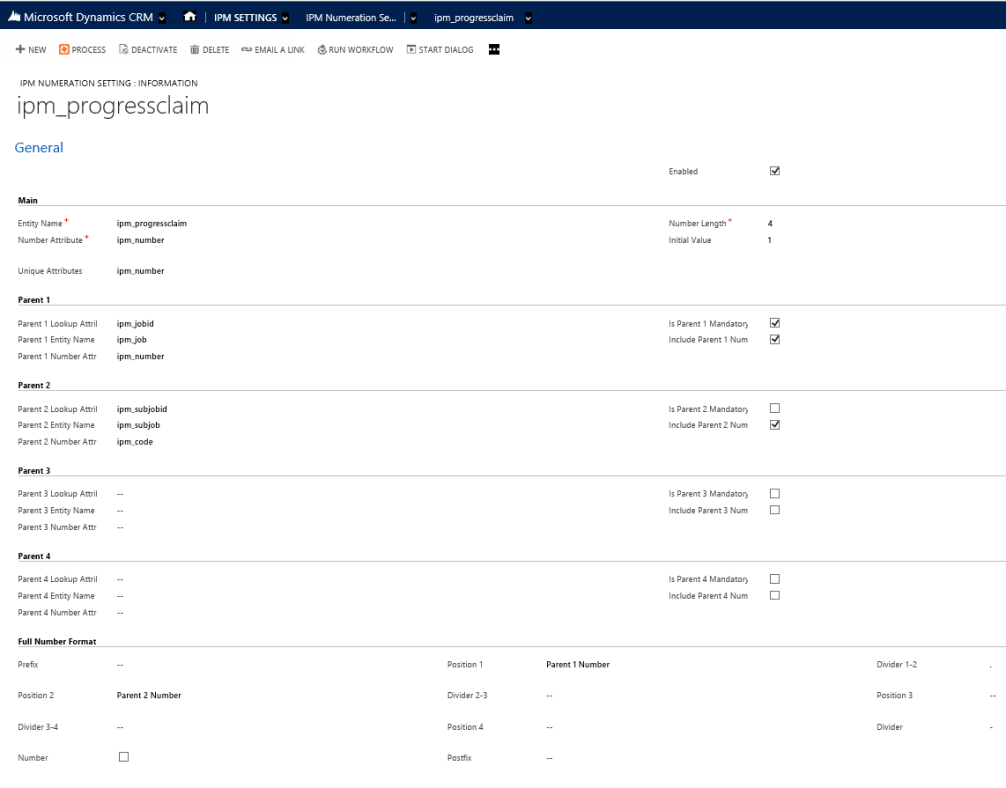
The screenshot below indicates how the numeration for a document would look if configured to include the subjob. Note that the Subjob field is not a mandatory inclusion.
Filtering with Subjobs
There are 2 ways Subjobs can be used to filter information on data entry screens, either on the document header or on the line items.
If a subjob is recorded on the document header for example on a Purchase Order header then the system will imply or default the subjob on the line items. This can be overwritten on the line item if the subjob field is visible.